

Connecting Karbon, SharePoint, Document Intelligence, and CCH Axcess: A 1040 Tax Automation Pipeline
A CPA Trendlines survey of the 2024 outlook found that 42% of accounting firms were turning away work due to staff shortages, and another 24% reported staff approaching burnout. The Bureau of Labor Statistics shows the accounting and auditing workforce has shrunk by more than 17% since 2020. Hiring will not close this gap. Outsourcing helps, but adds quality control and review overhead.
There is a third path that most mid-size CPA firms could take with the tools they already pay for. The structural pieces — practice management, document storage, tax preparation software, and document AI — are sitting in the stack. What is missing is the integration layer between them. For Form 1040 source-document handling, that integration layer saves 2–3 hours of preparer time per return.
This piece walks through the pipeline, names what each tool does, and explains where the build actually lives.
Why 1040 Automation Is a 2026 Priority
A Form 1040 with 30–50 pages of prepared-by-client (PBC) documents typically absorbs 3–5 hours of preparer time before tax review begins. That work — sorting, classifying, keying, and tying out W-2s, 1099s, 1098s, K-1s, and brokerage statements — is the largest block of discretionary preparer time on the return. It is also the work least dependent on judgment.
Two shifts have made end-to-end automation production-ready in 2026, unlike three years ago. Practice management and tax software now expose APIs that enable data to be moved between systems without manual handoffs. Document AI now handles W-2, 1099, and 1098 forms with confidence scores high enough for production use, not just demo decks. As of late 2024, Microsoft’s Unified US Tax prebuilt model handles W-2, 1098, 1099, and 1040 forms in a single request and now extracts from multi-form filings — for example, multiple W-2s in a single PDF — without splitting them upstream.
The cost economics also support building now. Microsoft Document Intelligence’s custom extraction model dropped from $50 to $30 per 1,000 pages in June 2024 and has held at that price since. Prebuilt models for tax forms run at $10 per 1,000 pages. A Form 1040 with 30–50 source pages processed through a mix of prebuilt and custom models lands well under $2 in AI extraction cost.
The Four Tools — And the Gap Between Them

The pipeline uses four tools: Karbon for workflow orchestration, Microsoft SharePoint for document storage and audit trail, Microsoft Document Intelligence for AI extraction and classification, and CCH Axcess Tax as the import destination. Most firms running Microsoft 365 already pay for SharePoint as part of their existing license. Wolters Kluwer reports that 94 of Accounting Today’s Top 100 firms run on CCH Axcess Tax, so for most readers of this article, that piece is already in place.
- Karbon maintains the firm’s list of Form 1040 work items. Its WorkItems API pulls that list into the preparer’s interface, filtered by status, due date, or assignee.
- Microsoft SharePoint stores source PDFs and inherits Microsoft 365 permissions into the audit trail. It integrates natively with Karbon’s document management. Firms running SharePoint Online generally do not need a separate document management system license for this workflow.
- Microsoft Document Intelligence runs inside the firm’s existing Azure tenant. It recognizes document types, extracts entities and Employer Identification Numbers (EINs), splits multi-document PDFs, and returns confidence scores on every field. Pre-built models cover W-2, 1099, and 1098 forms out of the box. Firms can train custom models on non-standard documents they see regularly. Microsoft charges nothing for training time on template models and offers 10 free hours per month for neural model training.
- CCH Axcess Tax sits at the end of the pipeline. The CCH Axcess Open Integration Platform supports importing data into worksheet view fields for tax year 2011 or later. It can create new returns, update existing ones, or generate new versions.
One part most coverage of this topic skips: the four tools do not talk to each other on their own. Karbon’s API and the CCH Axcess Open Integration Platform are not pre-wired. Document Intelligence does not know what a Karbon work item is. SharePoint does not know which extracted values should go where in a CCH worksheet view. The connection layer between them is custom work, and it is also the only piece most firms have not built yet.
That layer is the actual project. Everything else is configuration.
What the Preparer Workflow Actually Looks Like
What the preparer sees, end to end:
The preparer signs in with their existing Microsoft credentials, multi-factor authentication (MFA) enforced. One click loads the firm’s Form 1040 work items directly from Karbon, filtered however the preparer wants. They open a client, see the embedded SharePoint folder, and select the PBC files for processing.
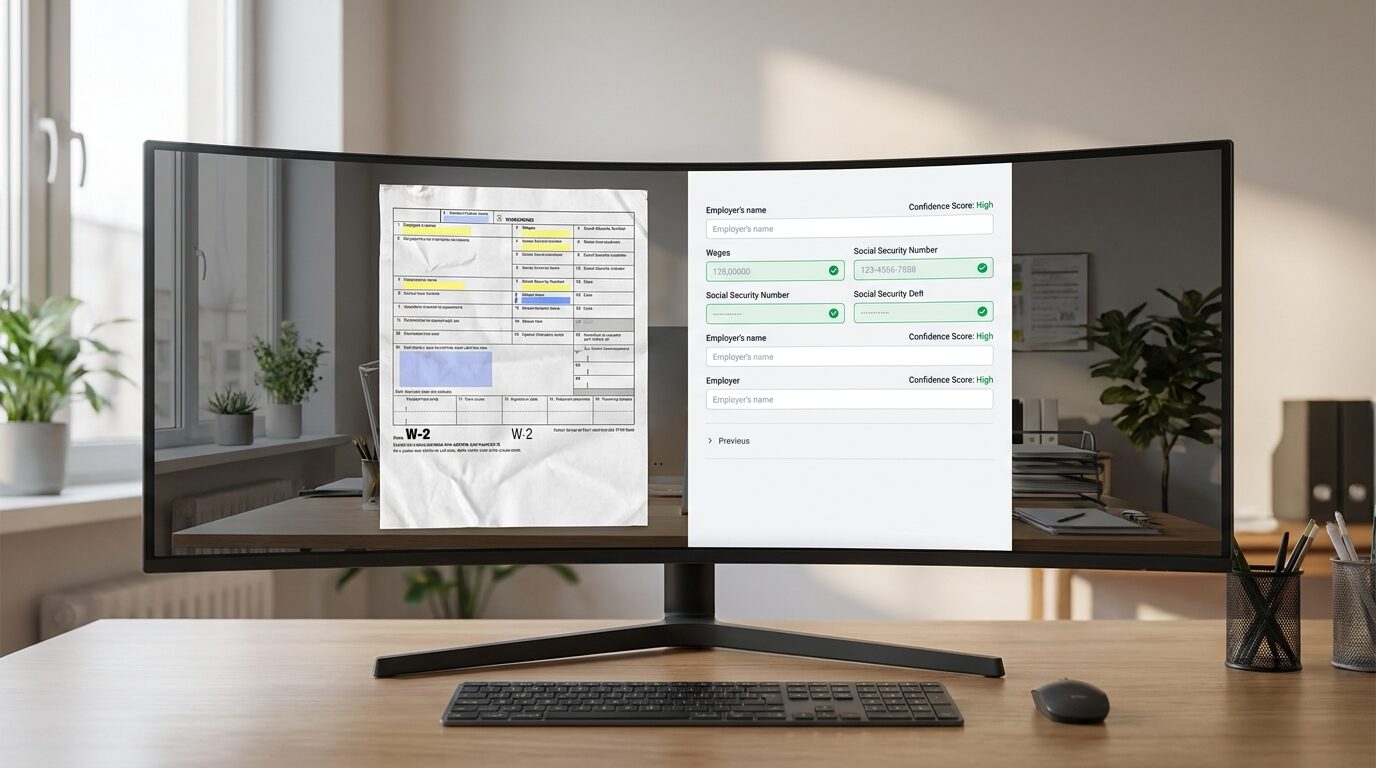
Document Intelligence then identifies file types, extracts entities, and splits multi-document PDFs in the background. A single PDF containing a W-2, a 1099-DIV, and a 1098 is split into three separate documents in the queue. The pipeline checks each extracted document against existing entities in CCH Axcess Tax — matching the W-2 to a known employer, for example, or flagging a new 1099 issuer that needs entity setup. Documents with low confidence scores get flagged, so the preparer knows which ones need review before import.
The preparer then sees the source PDF alongside the parsed values. They override any field that needs correction. (This part is genuinely hard to get right the first time in any firm. The side-by-side review pane is where most build attempts fail or succeed — confidence flagging logic, override behavior, and the keyboard ergonomics of moving through a return all need to work together. It is worth spending more time on this screen than any other.)
When the preparer approves the batch, the pipeline pushes data into the return through the CCH Axcess Open Integration Platform. The processed PDF is saved back to SharePoint, with field highlights and comments that note exactly what was pushed into which CCH field.
Firms that want hands-off processing can configure the pipeline to run extraction and classification overnight. Preparers walk into a queue that is already classified, flagged, and ready for review.
Audit Posture: The Argument That Matters Most
The strongest argument for this pipeline is not the hours saved. It is what happens during peer review, partner review, or staff handoff.
Every imported value links directly to its source PDF. The processed PDF saved back to SharePoint shows field highlights and comments, noting which value was pushed into which CCH Axcess worksheet field. A reviewer asking “where does this number on the K-1 line come from” gets the answer in two clicks: the source page, the highlighted field, the confidence score at the time of import, and the preparer’s override, if any.
That holds up under review the way handwritten tick marks used to.
This matters in two ways: partners feel quickly. The defensibility of the audit trail holds up over time, and people — peer reviewers, partner reviewers, and successor preparers — can all trace any value back to its source, even years later when the original preparer has moved on. And when the IRS asks a client, “Where did this number come from?” the firm has a documented answer in seconds, not hours.
Audit posture is also where firms that buy a packaged solution lose ground. A vendor’s black-box extraction tool gives the firm a result but not the trail. The pipeline described here gives the firm the result and the trail, because every piece runs inside infrastructure the firm controls.
What the Pipeline Returns
Across Silver Sea’s implementations, preparer time on a typical Form 1040 with standard PBC documents drops by roughly 2–3 hours per return. Results vary with document mix, firm review standards, and how aggressively the side-by-side review pane is tuned. Firms running heavy K-1 or brokerage statement volumes tend to see larger gains; firms with simple W-2-only returns see smaller ones, because there was less manual work to remove in the first place.
A 4,000-return practice processing the bulk of returns through this pipeline can recover thousands of preparer hours per season. Converting that to FTEs is tempting but misleading — preparer-chargeable hours vary too much from firm to firm.
Two further benefits matter beyond the time math.
The firm owns the AI model. Because the custom Document Intelligence model lives in the firm’s Azure tenant, the firm can retrain it on the documents that matter most — odd K-1 layouts, brokerage statements from specific custodians, and state withholding forms that change year to year. The model is the firm’s asset. A vendor cannot deprecate it, raise its price, or sunset it.
The technology stack stays in the firm’s control. Karbon, SharePoint, Azure, and CCH Axcess are all systems the firm already manages through its existing administrators. There is no new vendor relationship, no new contract to be renewed on unfavorable terms next year, and no new product roadmap for the firm to track.
Conclusion
Tax-season capacity is not going to be solved by hiring alone. The firms that hold their margins through 2026 and 2027 will be the ones that connect the tools they already pay for, and that build the integration layer themselves or with a partner who treats it as the firm’s asset, not the vendor’s.
Silver Sea Analytics has built integration layers connecting Karbon, SharePoint, Microsoft Document Intelligence, and CCH Axcess Tax for accounting firms. If your firm runs this stack and the 2026 busy season already feels tighter than 2025, we can map out what a build looks like in your environment. The discovery call lasts about an hour, is free, and is conducted directly by Steven Tran, CPA, CIA. Schedule a call here.
Frequently Asked Questions
How much preparer time does 1040 automation save per return?
Across Silver Sea implementations, preparer time on a typical Form 1040 with standard PBC documents drops by roughly 2–3 hours per return. Returns with heavy K-1 or brokerage volumes tend to see larger gains; simple W-2-only returns see smaller ones.
What four tools form the pipeline?
Karbon for workflow orchestration, Microsoft SharePoint for document storage and audit trail, Microsoft Document Intelligence for AI extraction and classification, and CCH Axcess Tax for data import. Wolters Kluwer reports that 94 of Accounting Today’s Top 100 firms run on CCH Axcess Tax, and most firms on Microsoft 365 already have SharePoint included in their license.
How much does it cost to process a Form 1040 through the pipeline?
Microsoft Document Intelligence’s custom extraction model is priced at $30 per 1,000 pages as of mid-2024; prebuilt tax-form models are $10 per 1,000 pages. A Form 1040 with 30–50 source pages typically runs under $2 in AI extraction cost. That figure does not include the firm’s existing Azure compute, SharePoint storage, or implementation cost — those are environment-specific.
What if my firm uses UltraTax, Lacerte, or ProSystem fx instead of CCH Axcess?
The same pipeline pattern works, but the import destination changes. UltraTax and Lacerte expose different integration APIs with different field-mapping behavior. ProSystem fx has a more limited integration surface than CCH Axcess. Firms on those platforms can build a version of this workflow, but the CCH Axcess Open Integration Platform is the easiest endpoint to work with today.
What is a realistic implementation timeline?
For a firm with the four tools already in place, the integration layer typically takes 8–12 weeks of build time before the first production return runs through it, depending on document mix and how much custom-model training the firm wants up front. The first busy season after go-live is when the model’s accuracy is refined against real PBC documents — firms should expect the second season to be meaningfully stronger than the first.
How does the pipeline maintain audit quality after import?
Every imported value links to its source PDF. The processed PDF is saved back to SharePoint, with field highlights and comments that note exactly what was pushed into which CCH Axcess field. Peer reviewers, partner reviewers, and successor preparers can trace any return value back to the source document in two clicks.
About the Author
Steven Tran, CPA, CIA
Founder, Silver Sea Analytics
Steven spent five years as a practicing CPA before moving into technology consulting for accounting firms. Over the past decade, he has built automation and business intelligence systems for CPA firms running CCH Axcess, Karbon, and Microsoft.