
Walk into any 50-person CPA firm and ask the partners what they wish their practice management system did better.. Chances are you’ll get a pretty long list.
- The folder structure that their tax team has used for fifteen years.
- AR follow-ups should be escalated by client tier and days outstanding, not just by top clients.
- Simply, the extension tracker reports to make sure everything is filed or extended by March/April 15.
- Make SharePoint folder permission mirrors Karbon’s Client Teams, not just fixed by the Department.
- The client profitability and staff productivity reports that the managing partner wants to see on Monday morning.
You know the relevant data is in the system. The function isn’t. This gap is natural — every practice management vendor serves thousands of firms, each with its own operating style. No vendor can shape its whole platform around any single firm’s exact workflow.
Most firms bridge the gap with practical workarounds: Excel exports, double data entries, well-designed templates, and manual workflows. Most firms still run on these workarounds for years.
What Most Firms Don’t Realize They Already Own
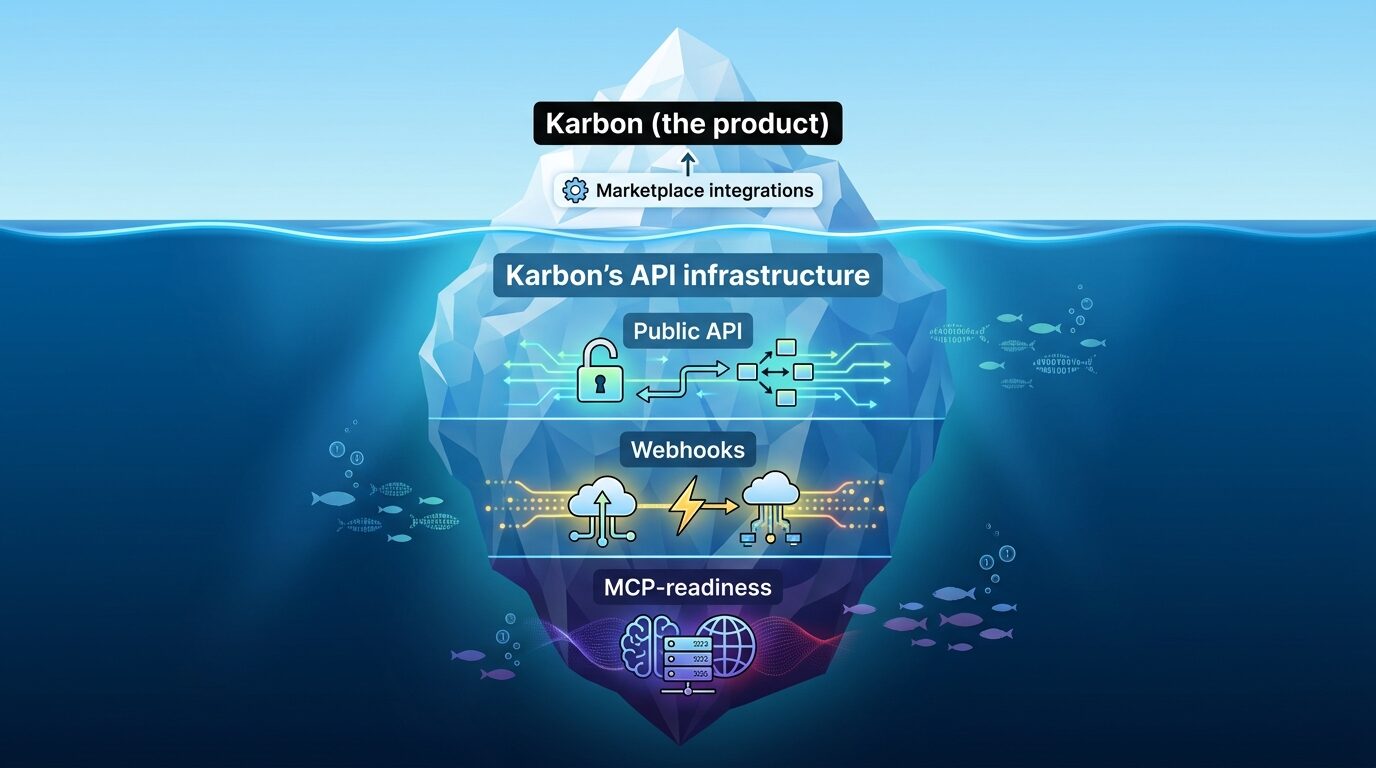
There’s another path most firms haven’t seen, because it sits below the surface. And here’s where the choice of practice management platform starts to matter in a way most leaders haven’t noticed.
Closing the gap between the firm the vendor imagines and the firm you actually run requires something specific from the platform: an API infrastructure built for use.
Most legacy systems don’t have it. A few modern ones have parts of it. Karbon is currently the platform with the most complete version in the practice management category, which is why this article uses Karbon as the example.
The four components of that infrastructure — a public API, real-time webhooks, AI-readiness, and full cloud data access — are the iceberg beneath the surface of every Karbon firm. They’re what enable firms to operate at higher leverage and build the workflows that actually work precisely the way they need. This article is about what’s down there, and why the decision to use it belongs to firm leadership, not to IT.
Three Steps Every Karbon Firm Takes — and the One Most Stop Short Of
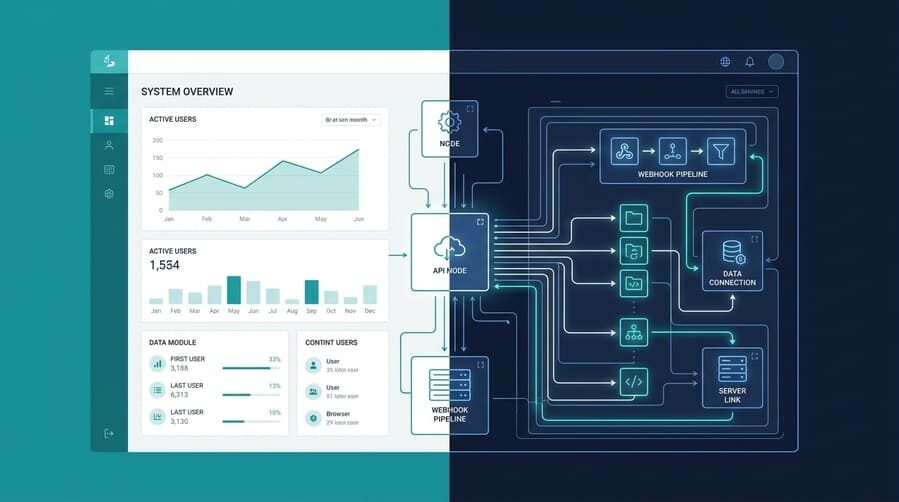
Step one is adopting Karbon: getting people, work, and email into one place. That’s the big obvious win every firm talks about. Modern interface. Feature-rich platform. Karbon solves many traditional problems right out of the box: time entry, billing, workflow management, basic operational reports, budget vs. actual, and email triage. All in one place.
Step two is turning on the native marketplace integrations — Xero, QuickBooks Online, Ignition, Stanford Tax, and the rest. These are easy to enable and can greatly extend Karbon’s power as the firm’s operating center. Many firms are just happy to get here.
Step three is Karbon’s API infrastructure. It’s where firm-specific workflows live, where the gaps Karbon’s marketplace doesn’t cover get closed, and where the firm stops adapting to the software and starts making the software adapt to the firm. Step three is also the step most firms haven’t taken yet — partly because it’s quieter than the first two, partly because it’s harder to see what’s possible until you’ve seen some good examples.
The rest of this article is about step three.
Three Trump Cards Beneath the Surface
In contrast, most CPA firms run on practice management platforms that haven’t changed much in the past 20 years. Karbon is the exception, and the three components of its API infrastructure are what set it apart from every other platform in this category.
Trump card one: a public API
An API is what lets you tell Karbon to do something (create a client, update a work item, log a time entry) without anyone having to click through the user interface. Karbon’s API and its documentation have been public since 2019.
To put that in context: CCH has an Open Integration Platform too, but gates it behind per-module add-ons that can add up quickly — a meaningful consideration for small to midsize firms. CCH publishes its API documentation to customers and partners under license. Thomson Reuters UltraTax CS doesn’t currently offer a public REST API. Karbon’s approach is to ship the API as part of the platform, which gives firms a different starting point.
Trump card two: real-time webhooks
A webhook is Karbon raising its hand the moment something changes — a new contact, a status update, a custom field edit. Karbon sends a small message to wherever you tell it to, in real time. Your other systems stay automatically in sync with Karbon.
Most practice management platforms don’t have webhooks at all. CCH Axcess has a real-time API but no webhook system, so your firm polls CCH to see what changed. Karbon’s webhooks reverse that flow — Karbon tells your systems the moment something changes, rather than your systems asking. Both approaches work; they call for different integration architectures.
Trump card three: MCP-readiness
Every practice management platform in this category now has AI features in some form — Karbon’s Practice Intelligence agents, CCH’s AI capabilities, Thomson Reuters’ tax-focused AI investments, and Financial Cents’ AI-assisted workflows. The AI wave is hitting the whole industry, not just one platform.
What’s different about Karbon is the openness of the AI layer.
Model Context Protocol — a new standard published in late 2024 and now supported by every major AI platform — lets an external AI assistant operate software directly. With an MCP server for Karbon, a partner can type in plain English (“Draft a weekly status update for every client whose return is in review and post it to their Karbon work item”) and watch it happen — using the AI assistant of the firm’s choice, not just the one the vendor ships.
This matters because using the API has historically required a programmer. MCP changes the day-to-day pattern: once an MCP server is in place, the firm uses natural language. We built an MCP server for Karbon in our lab; it works, and we’ll release more details in a future article.
Trump card four: full data access in the cloud
Most CPA firms moved to cloud practice management to get out of the server room. The trade-off has been losing the direct database access that on-premise software always offered. Practice CS or any on-prem system gives your firm a free, real-time database in your own data center. The moment a firm goes cloud, that visibility usually disappears.
Karbon brings most of it back. Karbon Practice Intelligence — an add-on package above the base Karbon subscription — provides a cloud-native Snowflake data warehouse that refreshes daily, accessible from anywhere, with 10 pre-built Power BI dashboards included and standard endpoints for connecting any BI tool a firm prefers.
To put that in context: CCH Axcess customers can purchase the Data Axcess Utility separately, but the DAU itself is on-premise SQL — meaning the data is accessible from the office, less so from anywhere else, and the Power BI package is a separate add-on on top of that. (The DAU has its own ongoing oversight needs, but that’s a topic for another article.) Thomson Reuters Practice CS offers real-time database access too, but only on-premise — the cloud trade-off goes the other way. Financial Cents doesn’t have an equivalent.
Karbon’s approach makes full cloud data access a single packaged option, not three separate purchases assembled by the firm. Daily refreshes are enough for most analytics and dashboard work; firms that need event-level latency still have the API and webhooks for that. Between the two, your firm gets both the read-back layer and the real-time layer, which is what closes the loop on the rest of the API infrastructure.
A public API. Real-time webhooks. AI-accessible automation through MCP. Full data access in the cloud. Most of Karbon’s competitors have one or two of these. Some have none. Karbon has all four — and that’s why step three is so much further along on Karbon than it is on anything else in this category.
What This Looks Like in a Real Firm
A mid-sized US CPA firm we work with wanted every new Karbon contact to automatically receive a SharePoint folder structure with more than 40 subfolders, organized in the firm’s specific way. They wanted the SharePoint URL written back to the Karbon contact record. They wanted team-based permissions synced automatically whenever the Client Team on a contact changed. Crucially, none of that is what the native Karbon-SharePoint marketplace integration is designed to cover.
We built it on the Karbon API and webhooks, with Microsoft Graph API on the SharePoint side. For a new contact, the folders are created within seconds. Additionally, on a Client Team update, permissions sync, and an email confirms it. Staff stopped manually creating folders. The firm freed up the time it used to spend coordinating “Did anyone set up the folders yet?”
That’s one example. The next step is bringing MCP into the picture, so a partner can ask the firm’s AI assistant in natural language to complete a quick task or get the answers from the system immediately. For example: tell me if any client hasn’t been onboarded completely, draft client status updates, show all overdue work items, or summarize the team’s week, all within Karbon.
What Partners Should Take From This

Three takeaways, none of them technical.
- Karbon’s API infrastructure is a firm-level asset, not an IT one. It changes how much of your operations you can shape beyond what the system ships out of the box. Firms should plan to stop working around their own software and focus on the ideal workflows. That’s a partner-level conversation.
- Karbon’s API infrastructure is a shared firm resource. Karbon allows one webhook subscription per entity type per tenant, which means that two parallel projects can’t each have their own webhook listener; they share the same listener. Naming an owner for the firm’s API and webhook strategy is the kind of decision that’s easy to make today and uncomfortable to make later.
- MCP is the bridge between the API infrastructure and your day-to-day users. Until now, capturing the value of the API required a programmer. With MCP, the day-to-day usage is natural language. The building and the firm-level governance still require a partner, but the daily payoff goes to the staff.
The Reframe
Karbon’s API infrastructure isn’t technology. It’s the boundary between the firm Karbon imagines and the firm you actually run. Every CPA firm above a certain size finds there’s a growing distance between the two — and that distance is where productivity quietly leaks. Karbon’s own research suggests that 77% of general accounting operations can now be fully automated with the right tech stack.
The firms closing in on that ceiling aren’t the ones with more staff or longer hours; they’re the ones whose practice management platform lets them connect the workflows their staff actually run. The interesting question is what your firm decides to do about that gap.
Karbon is the rare practice management platform where the tools to close that distance — API, webhooks, MCP, and a cloud-native data warehouse — are all available, integrated, and shipping today. Step one is adopting Karbon. Step two is the marketplace. Step three is where your firm’s real roadmap lives — and it’s where Karbon’s infrastructure is currently most ready to take you.
FAQ Section
Q: Can my firm build workflows that Karbon doesn’t offer out of the box?
Yes. Karbon’s public API, real-time webhooks, MCP-readiness, and cloud-native data warehouse allow firms to build firm-specific automations that the standard product and marketplace don’t cover. Examples include custom SharePoint folder structures tied to client teams, automated permission syncing, and AI-assisted status updates — all running inside Karbon without manual handoffs.
Q: How much does it cost to build on Karbon’s API?
The API access itself is included with Karbon. The investment is in the build — scoping, development, and ongoing governance. The offsetting gain is capacity: manual handoffs that consumed staff hours get replaced by automations that run in the background. Silver Sea typically scopes these builds for mid-size firms in an initial discovery call.
Q: What happens to these workflows if we switch away from Karbon?
The integrations built on Karbon’s API are firm assets, not Karbon’s. The logic, the SharePoint structures, and the automation rules live in your environment. They would need to be rebuilt for a different platform, which should be factored into any platform evaluation.